
Shipping Documents Software for Windows
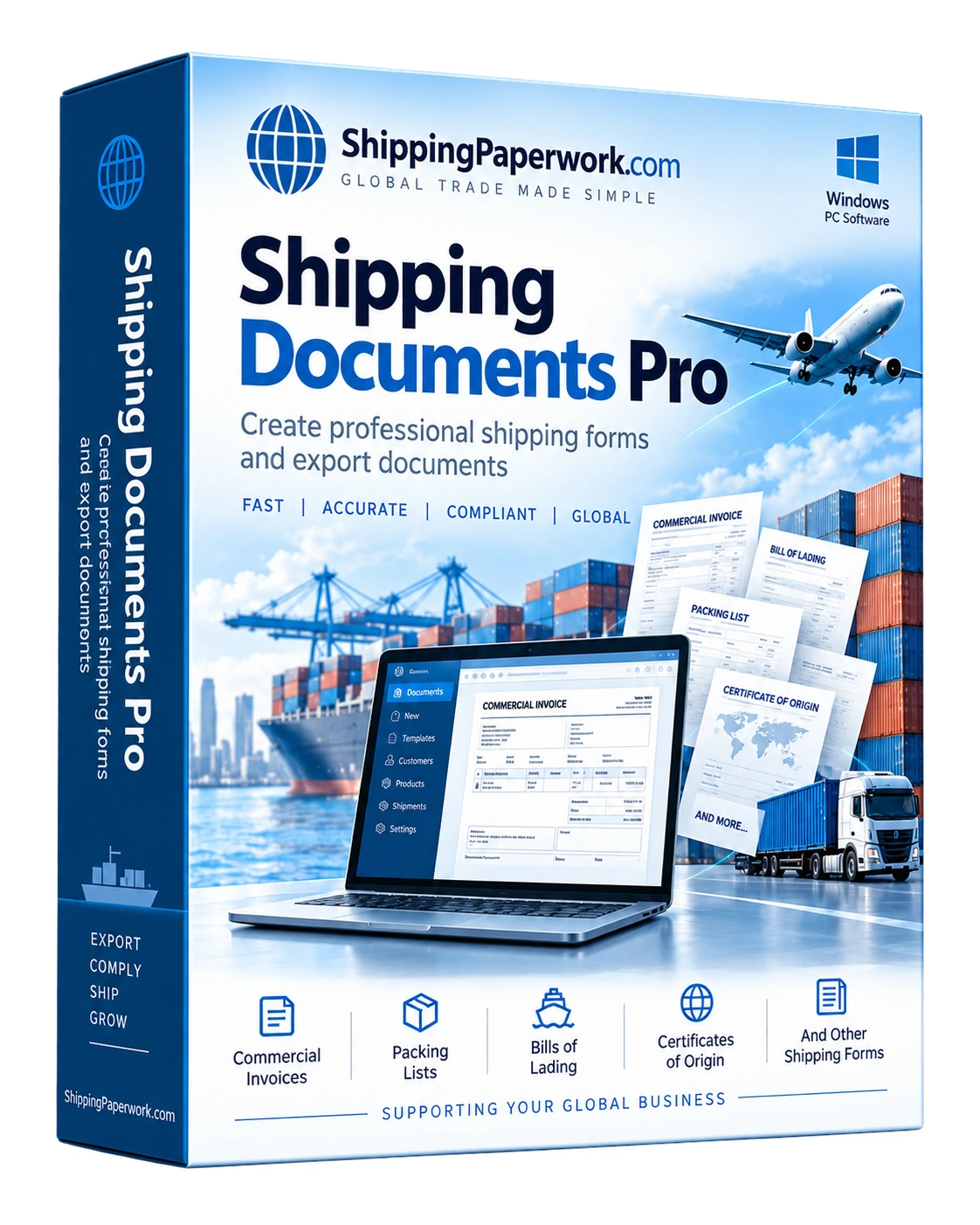
Shipping Documents Pro helps repeat shippers create commercial invoices, packing lists, bills of lading, certificates of origin and other shipping paperwork from one reusable shipment record.
No credit card required · 5 print/PDF evaluation uses · previews are unlimited.
Stop entering the same shipment details into separate forms.
Most shipping documents repeat the same core information: exporter and consignee addresses, shipment references, products, quantities, values, weights and transport details. Shipping Documents Pro is organized around the shipment so that information can be entered once and reused where it belongs.
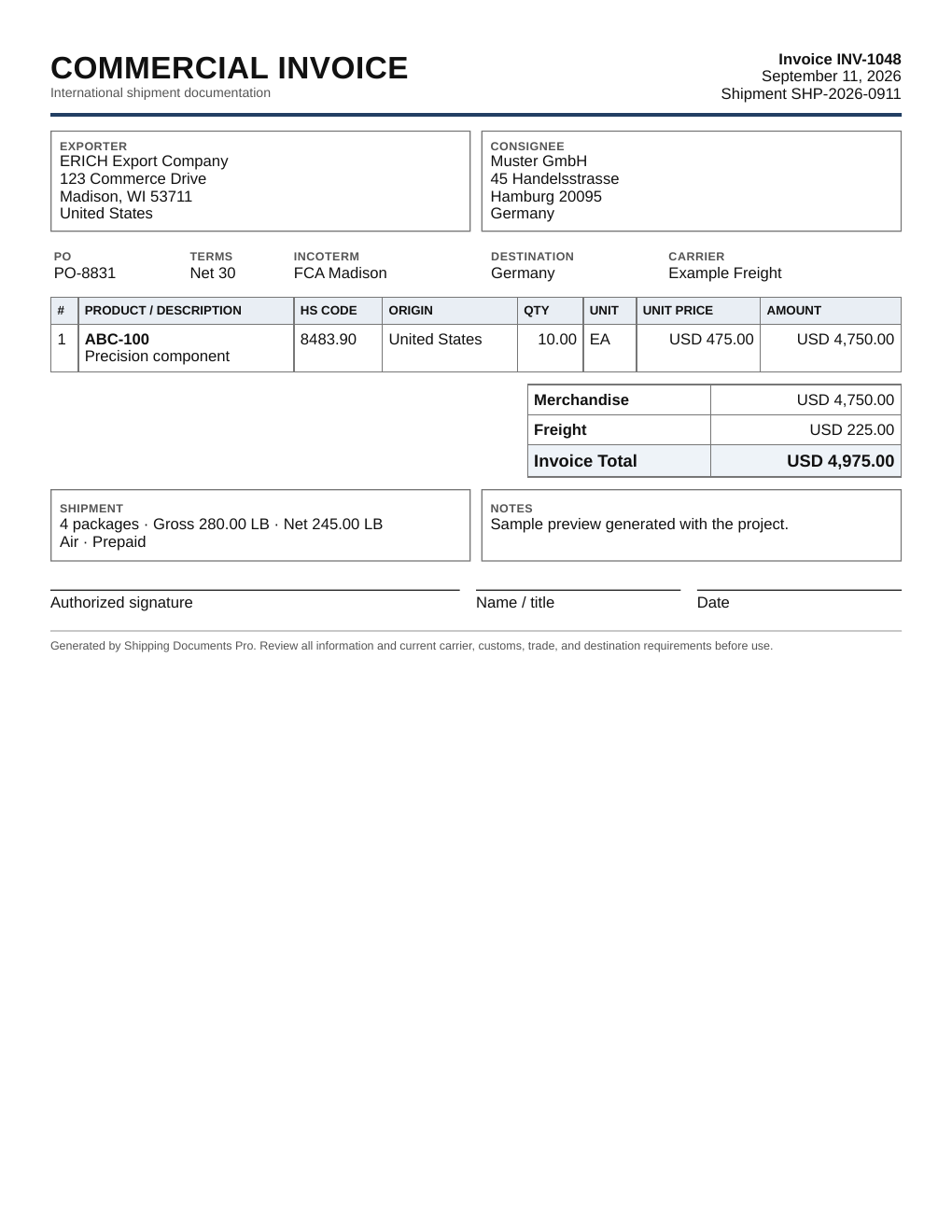
See Shipping Documents Pro in action.
These are actual screens from the Windows application, showing the shipment-centered workflow and document entry screens.
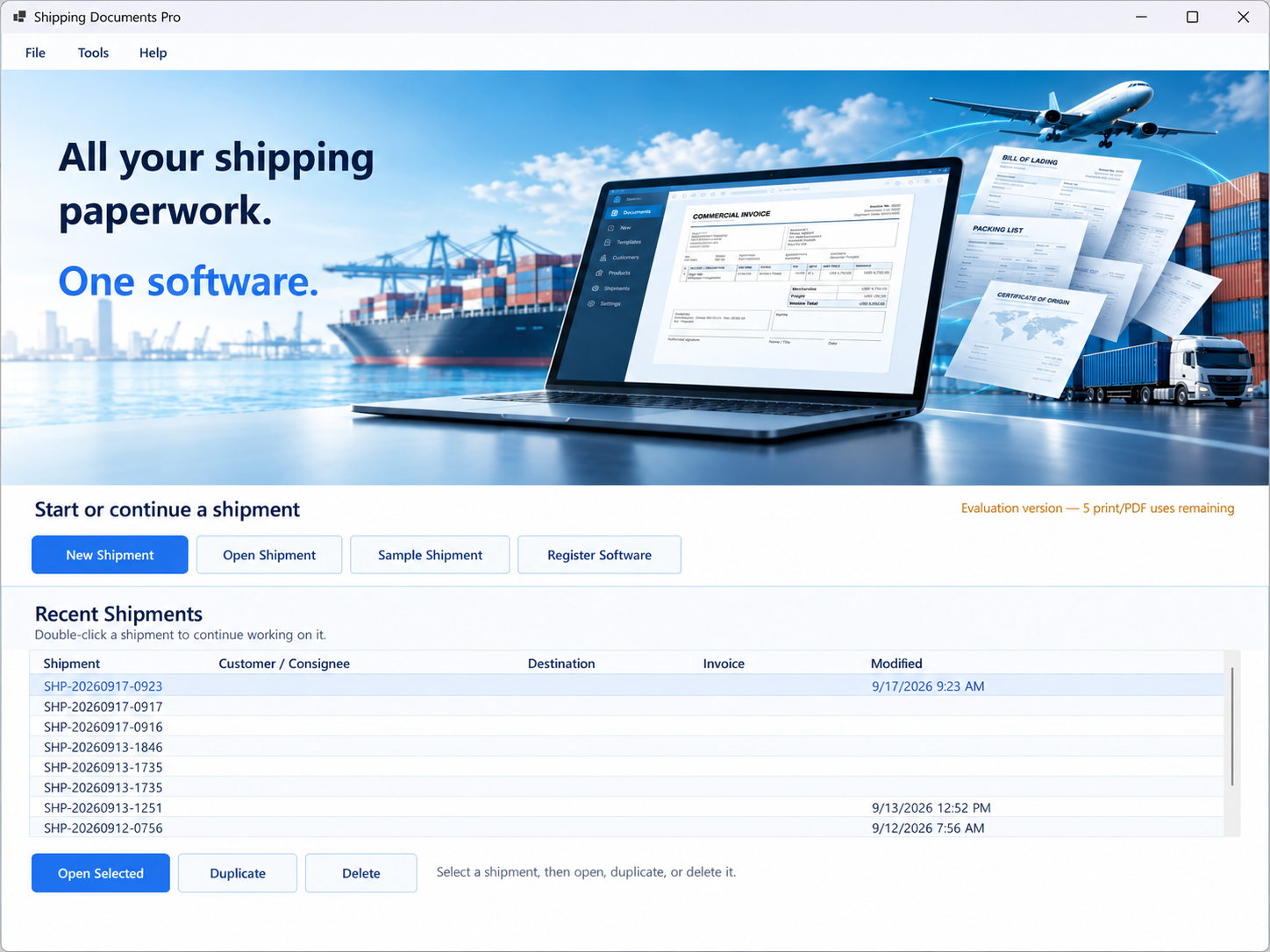
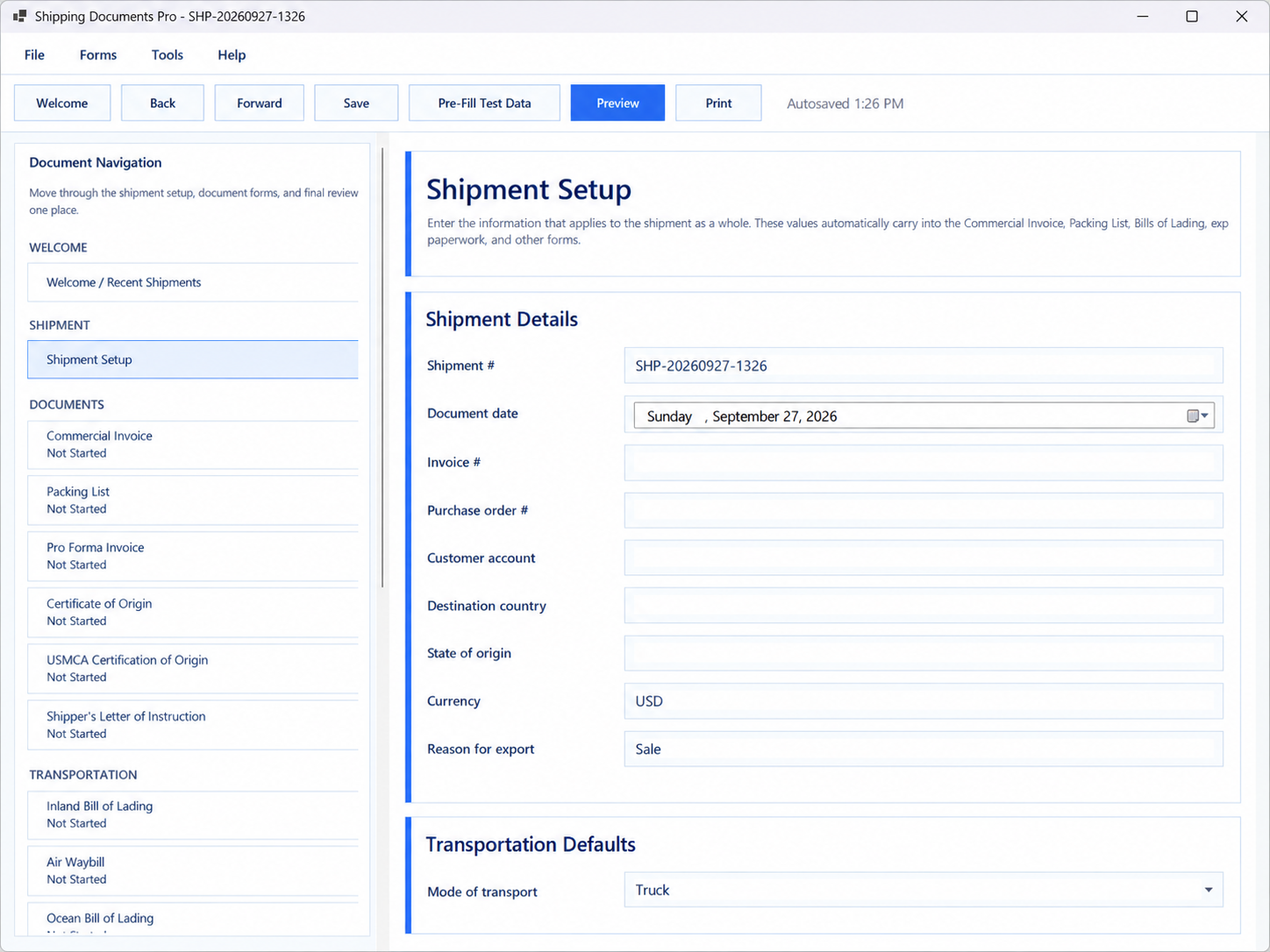
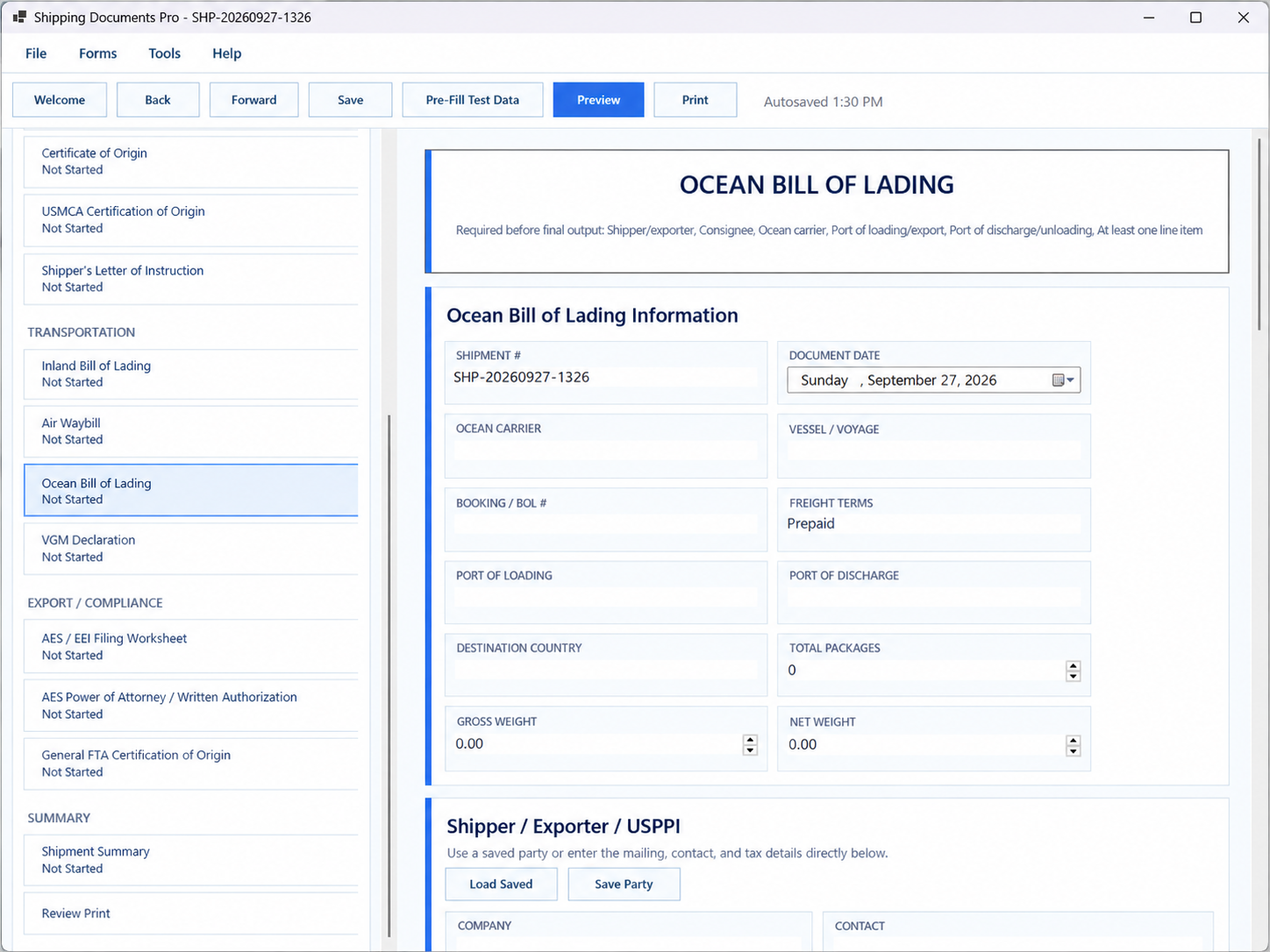
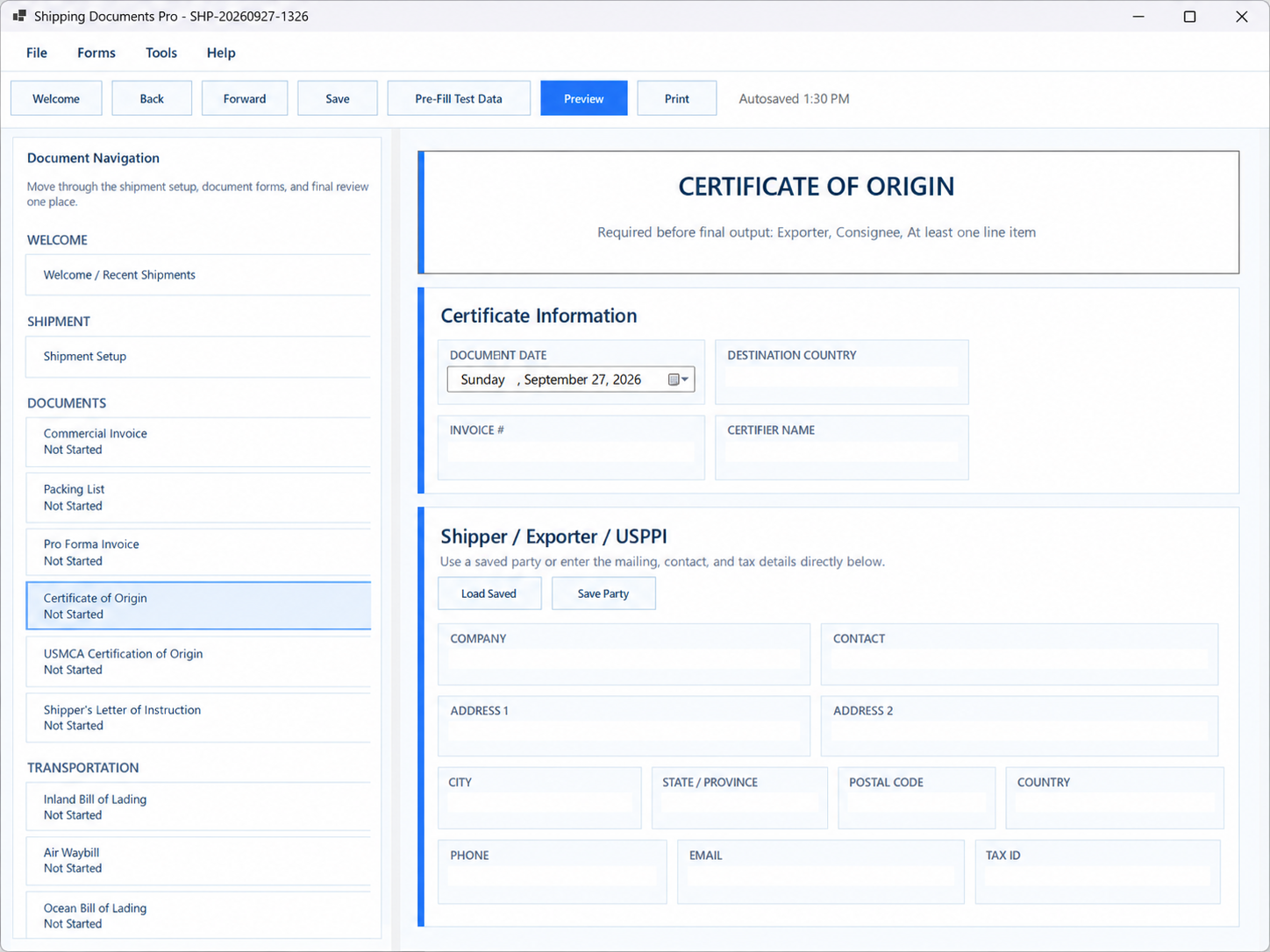
Click any screenshot to view the full-size image. Interface shown from the current Windows application.
Built for businesses that prepare shipping documents repeatedly.
A free form is useful for one shipment. Shipping software becomes useful when the same customers, products and shipment data need to appear on several documents again and again.
Save reusable records
Maintain frequently used companies, addresses, carriers and product descriptions so repeat shipments start with known data instead of a blank form.
Build the shipment once
Enter references, parties, dates, transport information, products, quantities, weights, values and notes in one shipment record.
Create the required documents
Generate the commercial invoice, packing list, bill of lading, certificate or other paperwork needed for that shipment.
Try the real Windows workflow before you buy.
The trial does not require a credit card. Install the software, enter a shipment, preview documents and use up to five print/PDF evaluation outputs before deciding whether the repeat-workflow features are useful for your business.
Run ShippingDocumentsPro-Setup.exe on Windows 10 or later.
Enter parties and products or use the software's test/sample workflow to see how shipment data is organized.
Review the document layouts before using one of the five evaluation print/PDF outputs.
The full license is $199 one time with no recurring software subscription.
Working shipment records stay on your computer rather than requiring a browser account.
The trial includes five print/PDF evaluation uses while previews remain unlimited.
The product is sold as a one-time software purchase, not a monthly subscription.
Create the paperwork most often needed for domestic and international shipments.
More reusable than PDFs, spreadsheets and separate document templates.
Blank PDFs and spreadsheet templates work when a business prepares only an occasional shipment. The problem appears when the same information has to be retyped into several forms or a previous shipment needs to be recreated with small changes.
Shipping Documents Pro keeps the shipment data separate from the document layout. That makes it easier to reuse the underlying information and lets document tables expand when a shipment has more line items than a fixed form image was designed to hold.
Dynamic layouts instead of fixed background images
The document output uses flexible HTML/CSS templates rather than positioning text over a rigid bitmap. Product rows can grow with the shipment, longer descriptions can wrap naturally, and continuation pages can be used when needed.
Useful for
- Manufacturers and distributors
- Small exporters and importers
- Wholesale and industrial suppliers
- Freight and logistics support staff
- Businesses preparing recurring customer shipments
Not a carrier or customs filing platform
The software prepares shipping paperwork. It does not replace your carrier, customs broker, ERP, tariff classification service, accounting system or government filing portal.
Find the workflow that matches the document you prepare.
These pages focus on the specific software use case while the document guides explain what each form is and when it is used.
International Shipping Documents Software
Prepare a coordinated set of export and shipping paperwork from reusable shipment data.
Explore this workflow →Export Document Software
Create common export paperwork without rebuilding every form from scratch.
Explore export documents →Commercial Invoice Software
Build commercial invoices while reusing customers, products and shipment details.
Commercial invoice workflow →Bill of Lading Software
Create BOL paperwork using the same shipment information used elsewhere.
Bill of lading workflow →Packing List Software
Prepare packing lists with packages, weights, dimensions and shipment references.
Packing list workflow →Certificate of Origin Software
Reuse shipment and product data when preparing origin documentation.
Certificate workflow →Pro Forma Invoice Software
Prepare pre-shipment invoices and reuse the same data when the transaction moves forward.
Pro forma invoice workflow →Shipping Manifest Software
Create reusable shipment summaries and keep manifest information connected to the rest of the shipment record.
Shipping manifest workflow →Shipper's Letter of Instruction Software
Reuse shipper, consignee, product and routing data while preparing SLI worksheets and related export paperwork.
SLI workflow →Word / Excel vs. the free browser builder vs. Shipping Documents Pro
Use the simplest tool that fits the job. The desktop software becomes valuable when the same shipment information needs to be reused across customers, products and multiple documents.
| Capability | Word / Excel | Free Browser Builder | Shipping Documents Pro |
|---|---|---|---|
| Create shipping documents | Yes | 3 document previews | 10+ document types |
| Saved customers / consignees | Manual | No | Yes |
| Saved products | Manual | No | Yes |
| Reuse one shipment across documents | Copy / paste | 3-document browser session | Yes, saved |
| Duplicate repeat shipments | Copy files | No | Yes |
| CSV line-item import | Varies | No | Yes |
| Review missing information | Manual | Manual | Built in |
| Combined PDF package | Manual | No | Yes |
| Best fit | Occasional custom work | Occasional shipment | Repeat shipping paperwork |
Try one shipment free. Use the software for repeat shipping.
ShippingPaperwork.com includes a free one-shipment browser workflow so you can see the core idea before installing anything. Shipping Documents Pro is the paid Windows product for businesses that need saved records, CSV import, shipment history and a larger document package.
Free tools already available
- Commercial Invoice Generator
- Packing List Generator
- Bill of Lading Generator
- Pro Forma Invoice Generator
- Certificate of Origin Generator
- Shipper's Letter of Instruction Generator
- Shipping Manifest Generator
- CBM / Cubic Volume Calculator
- Dimensional Weight Calculator
- Pallet & Carton Calculator
- Freight Density Calculator
- Shipping Unit Converter
Questions about shipping document software
What is shipping documents software?
Shipping documents software helps businesses prepare and reuse information across documents such as commercial invoices, packing lists, bills of lading, certificates of origin and related shipping paperwork.
What documents can Shipping Documents Pro create?
Shipping Documents Pro is designed for commercial invoices, packing lists, pro forma invoices, inland bills of lading, ocean BOL worksheets, certificates of origin, USMCA certification worksheets, shipper's letters of instruction, air waybill worksheets and shipment summaries.
Is Shipping Documents Pro web-based?
No. Shipping Documents Pro is Windows desktop software. The free generators on ShippingPaperwork.com are browser tools, but the paid product runs locally on Windows.
Can I reuse the same shipment information on multiple documents?
Yes. Reusing one shipment record across multiple documents is the core workflow. Saved parties, products and shipment details reduce repeated typing.
Can I import line items from a CSV file?
Yes. The software is designed to support CSV line-item import so larger shipments do not need to be entered one product at a time.
Does the software transmit documents to carriers, customs or government agencies?
No. Shipping Documents Pro prepares paperwork and worksheets for printing or PDF output. Filing, carrier transmission and government submission remain separate processes.
Is there a monthly subscription?
No. The listed software price is a one-time purchase rather than a recurring monthly software subscription.
$199 one time.
No recurring software subscription. Use the software locally on Windows and keep the working shipment records on your computer.
Need to confirm whether it fits your workflow?
Review the full document list, try the free browser tools, or contact us with a question about the type of shipping paperwork you prepare.