
Commercial Invoice Template: Blank Form, Sample & Generator
Use the blank commercial invoice form, review a completed example, or create your own invoice online. These options cover both quick one-off shipments and repeat shipping workflows.
Blank Template
Open a clean printable form. Print it directly or use your browser's Save as PDF option.
Open blank form →2Completed Example
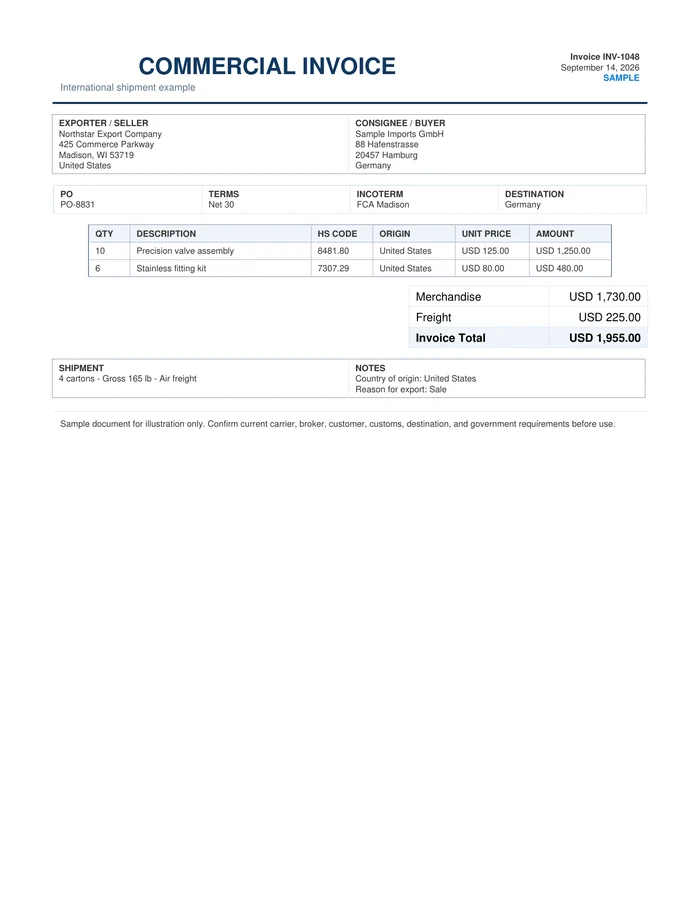
See a filled-in sample so you can understand how common fields fit together.
View sample PDF →3Create One Online Free
Enter your own shipment details in the browser, then print or save the finished document.
Open free generator →Download the blank template as PDF, Word, or Excel.
Use PDF for printing, Word for editable document layouts, or Excel for spreadsheet-based data entry. These are general templates; use any specific form required by your carrier, customer, broker, chamber, or government agency.
Printable PDF
One-page blank form designed for printing or handwriting.
Download PDF →DOCXEditable Word
Open in Microsoft Word or a compatible editor and type into the template.
Download Word →XLSXExcel Template
Structured spreadsheet for shipment data entry and reusable line items.
Download Excel →Template files reviewed September 30, 2026.
Choose the format that fits the shipment.
A commercial invoice commonly identifies the exporter or seller, buyer or consignee, product descriptions, quantities, values, country of origin, currency and shipment terms. Exact requirements vary by transaction and destination.
Open Blank TemplateView Completed SampleCreate One Online FreeNeed repeat use? See the software workflow →Information commonly shown on this document.
Template, form, format and sample
People searching for a blank commercial invoice, commercial invoice form, commercial invoice sample or commercial invoice format are usually looking for the same thing: a usable layout plus an example of how the fields fit together.
Practical tip
Keep product descriptions, quantities, origin information and values consistent with the packing list and other shipment records. If you ship repeatedly, saved customers and products can reduce retyping and inconsistencies.
These templates are general preparation tools and do not replace current carrier, broker, customer, customs or government requirements.
Using this template
Is this a blank commercial invoice template?
Yes. The blank template opens as a clean printable form that you can print or save as PDF. The page also includes a completed sample and a free browser generator.
What is the difference between the sample and the generator?
The sample shows one completed example. The generator lets you enter your own shipment details and print or save the finished document.
Can I reuse customer and product information for future invoices?
The free browser generator is designed for one-off documents. Shipping Documents Pro is the Windows option for saving customers, products and shipment records for repeat use.
Prepare shipping paperwork regularly?
Shipping Documents Pro lets you save customers, products and shipment records, then reuse that information across related documents instead of rebuilding each form from a blank template.